> For the complete documentation index, see [llms.txt](https://mazingxr.gitbook.io/mazing-world/llms.txt). Markdown versions of documentation pages are available by appending `.md` to page URLs; this page is available as [Markdown](https://mazingxr.gitbook.io/mazing-world/de/integration-shops/shopify.md).
# Shopify
So integrierst du dein Skript in Shopify
### **Schritt 1: Zugriff auf deine Online-Store-Themes**
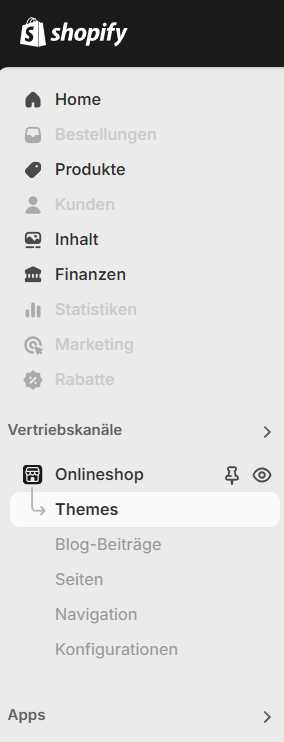
Melde dich in deinem **Shopify-Store** an und navigiere im Admin-Panel zu **Onlineshop > Themes**.
Klicke auf **Themes**.
Click on Themes
### **Schritt 2: Code bearbeiten**
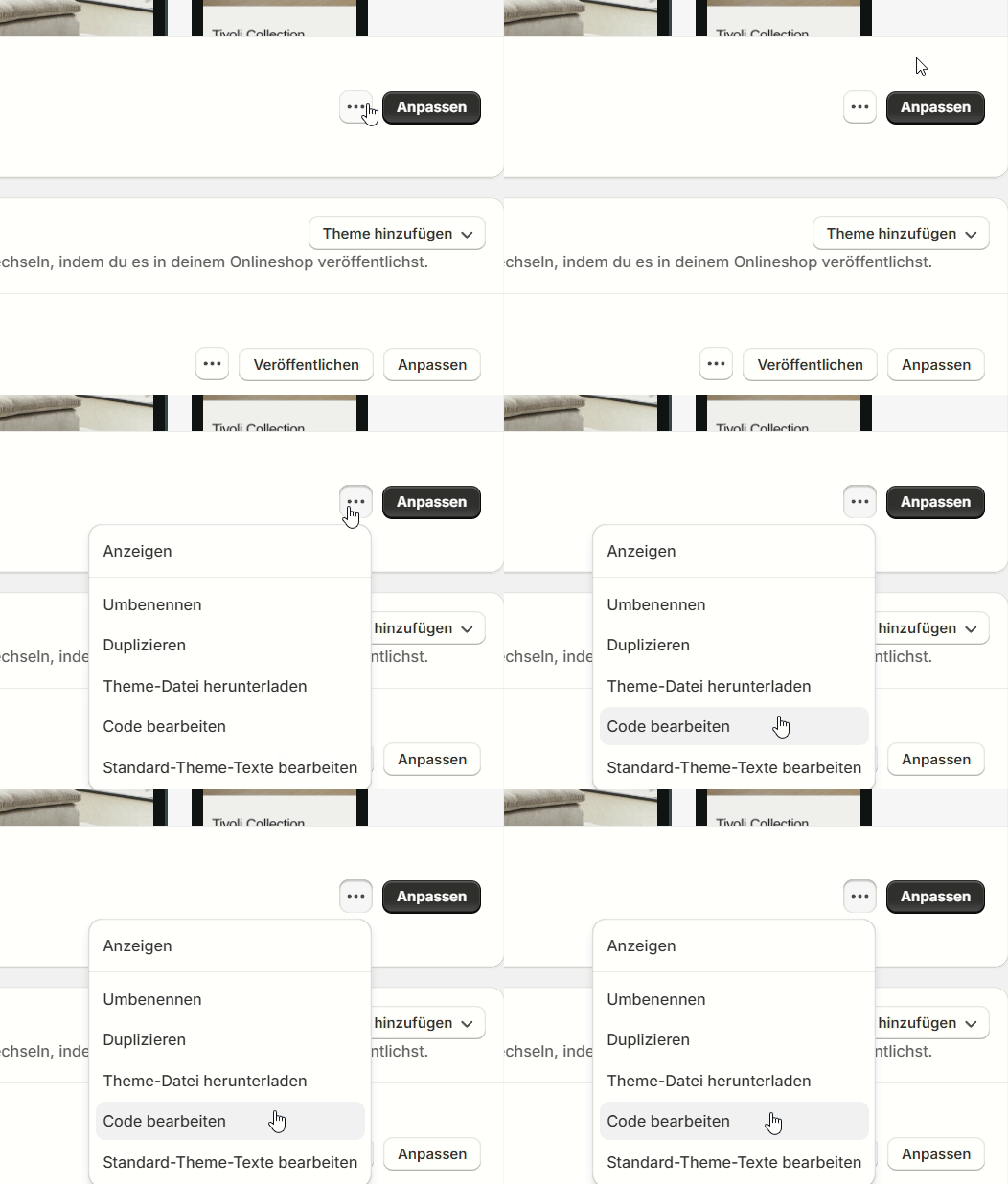
Suche dein aktives Theme und klicke auf das **Drei-Punkte-Menü**.\
Wähle im Dropdown **Edit Code**, um auf die Theme-Dateien zuzugreifen.
Klicke auf **Edit code**.
Click on Edit code
### **Schritt 3: Mazing-Integrationsskript hinzufügen**
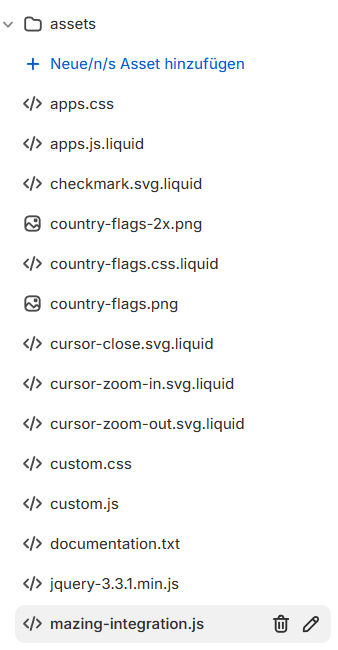
Gehe im Code-Editor in das Verzeichnis **Assets**.
Klicke auf **Add a new asset** und erstelle eine neue **JavaScript-Datei**.\
Benenne die Datei zum Beispiel **`mazing-integration.js`**.
In dieser Datei kannst du dein **individuelles Integrationsskript** schreiben.
{% hint style="info" %}
Ein Beispielskript findest du hier: **Variant Integration Example**
{% endhint %}
Add your custom mazing-integration script
### **Schritt 4: Skript integrieren**
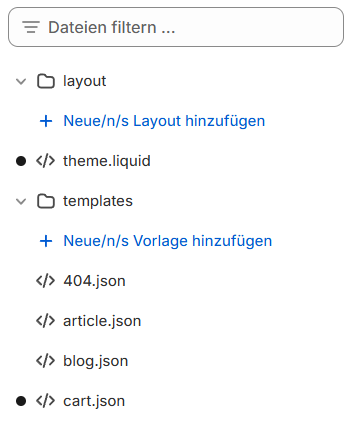
Sobald dein **`mazing-integration.js`**-Skript fertig ist, musst du es in dein Shopify-Theme integrieren, indem du die Datei **`theme.liquid`** bearbeitest.
Öffne deine **`theme.liquid`**-Datei.
Open your theme.liquid file
#### **Mazing CDN-Skript**
Füge dieses Skript am Ende des **``-Elements** ein:
{% hint style="info" %}
```
```
{% endhint %}
#### **Dein mazing-integration.js Skript**
Füge dieses Skript am Ende des **``-Elements** ein:
{% hint style="info" %}
```
```
{% endhint %}
### 🎉 **Glückwunsch!**
Du hast dein **individuell angepasstes Mazing-Skript** erfolgreich in deinen **Shopify-Store** integriert!
Dein neues Skript erweitert nun deinen Shop um die gewünschten Funktionen und sorgt für eine **bessere User Experience** für deine Kunden.