> For the complete documentation index, see [llms.txt](https://mazingxr.gitbook.io/mazing-world/llms.txt). Markdown versions of documentation pages are available by appending `.md` to page URLs; this page is available as [Markdown](https://mazingxr.gitbook.io/mazing-world/de/ai-apps/ki-3d-videos-erstellen.md).
# KI-3D-Videos erstellen
Bring your renderings to life!
## **Schritt 1: Klicke auf „Generate AI 3D Video“**
Melde dich in deinem **MAZING**-Account an und klicke auf die Karte **„Generate AI 3D Video“**.
Ein Modal mit einem kurzen Beispielvideo wird geöffnet. Klicke auf **„Start“**, um fortzufahren.
Click on Start to continue
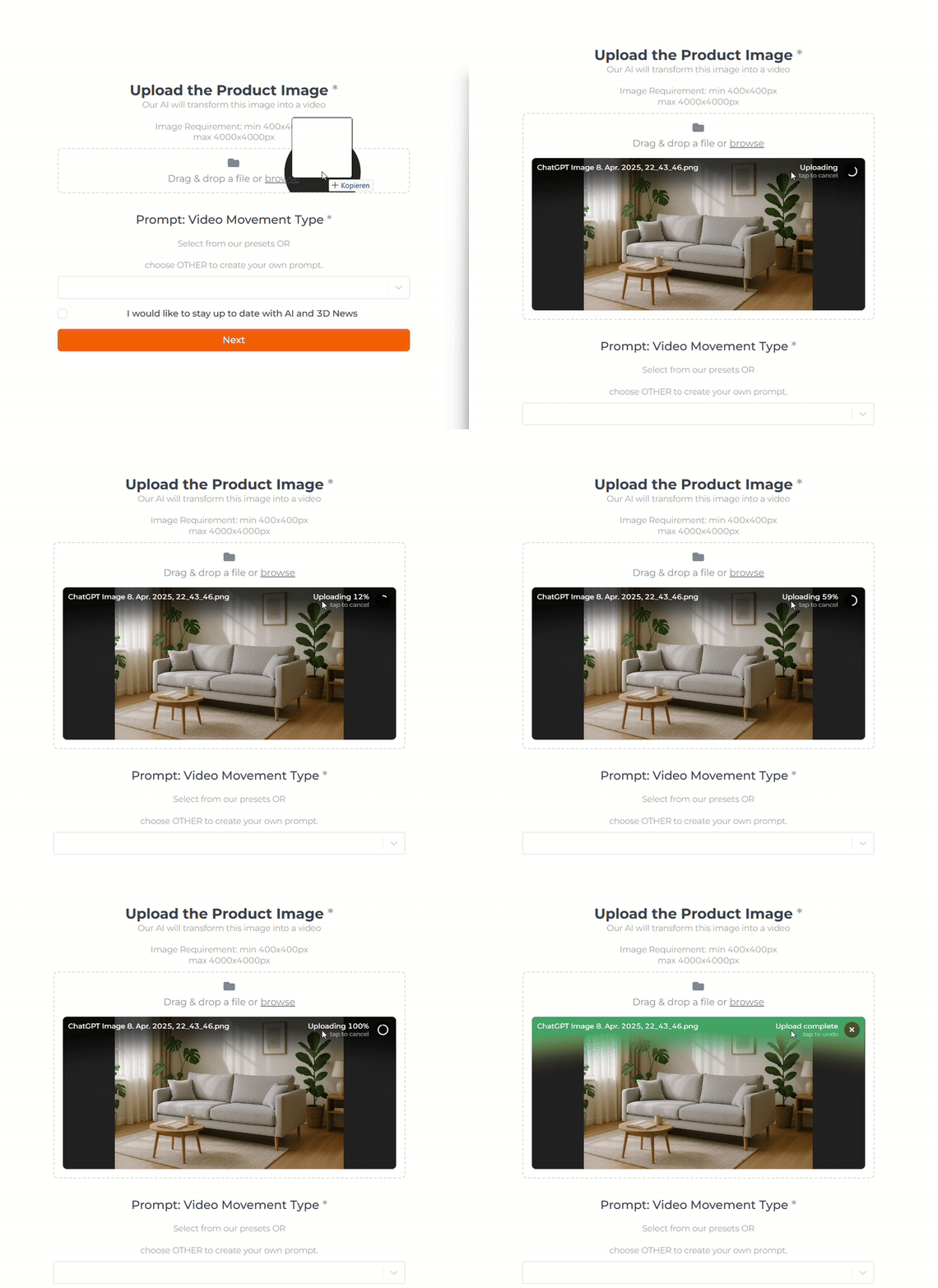
## **Schritt 2: Lade dein Produkt-Rendering hoch**
Lade dein Rendering per Drag & Drop hoch oder klicke auf **„Browse“**, um deine Datei manuell auszuwählen.
Upload your product image
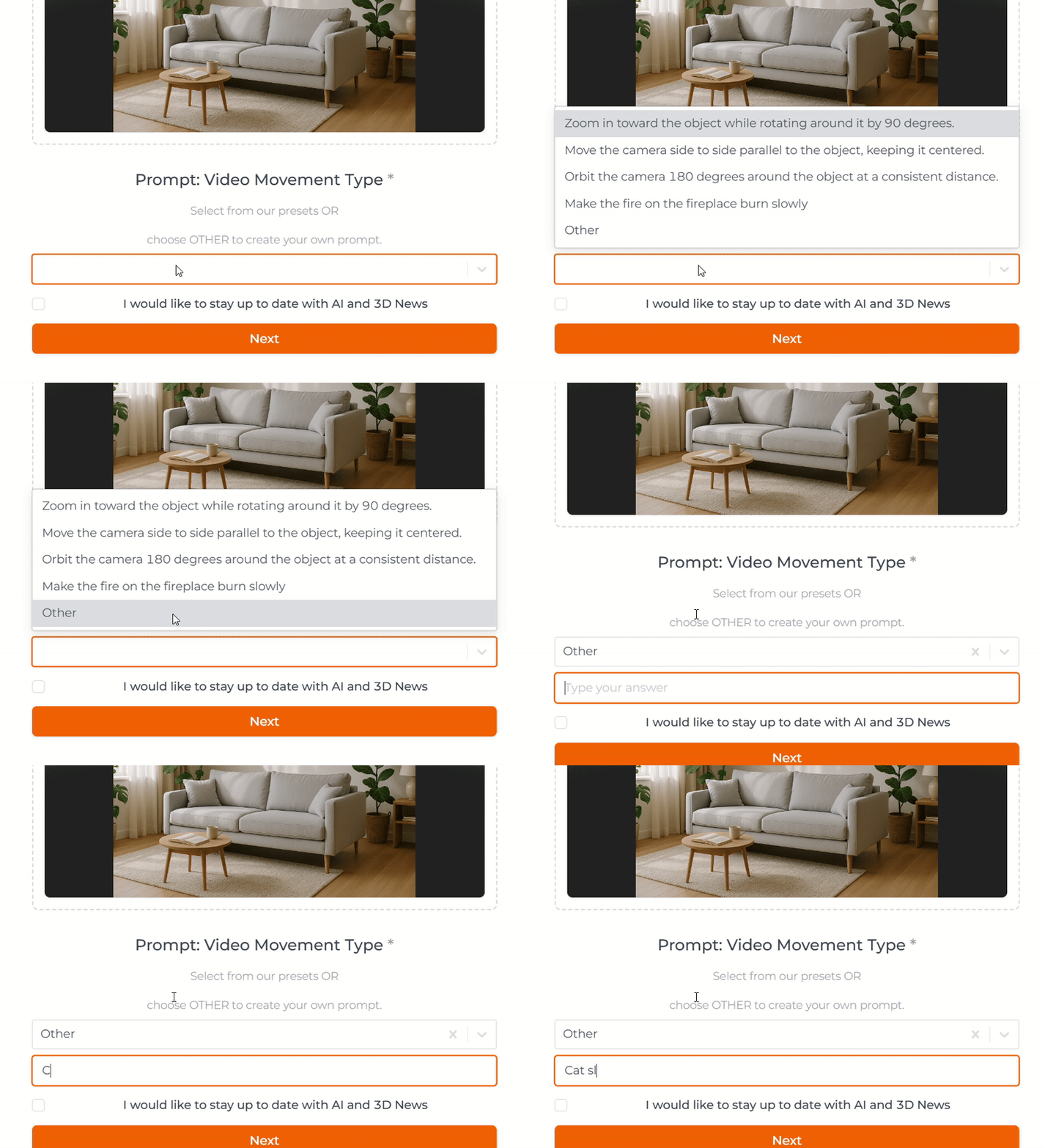
## **Schritt 3: Gib deinen Prompt ein**
Wähle einen unserer vordefinierten Prompts aus oder wähle **„Other“**, um deinen eigenen einzugeben.
Select "Other" to write your own prompt
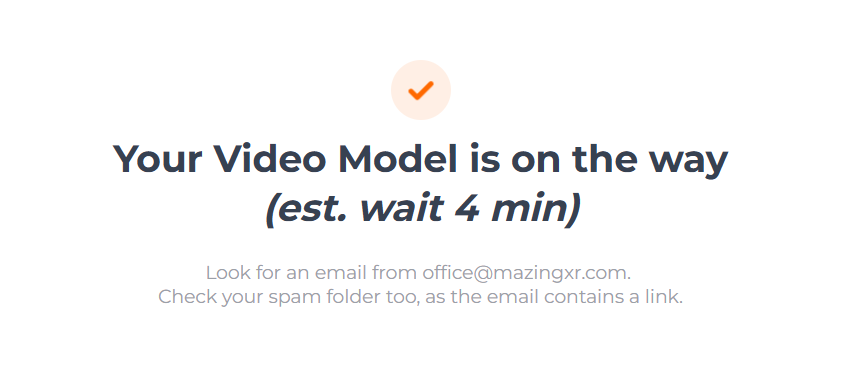
## **Schritt 4: Warte auf dein Produktvideo**
Nachdem du auf **„Next“** geklickt hast, erhältst du eine Nachricht mit der geschätzten Verarbeitungszeit.
Überprüfe nach **3–5 Minuten** deine E-Mails – dein Video sollte dort bereit sein.
.gif)